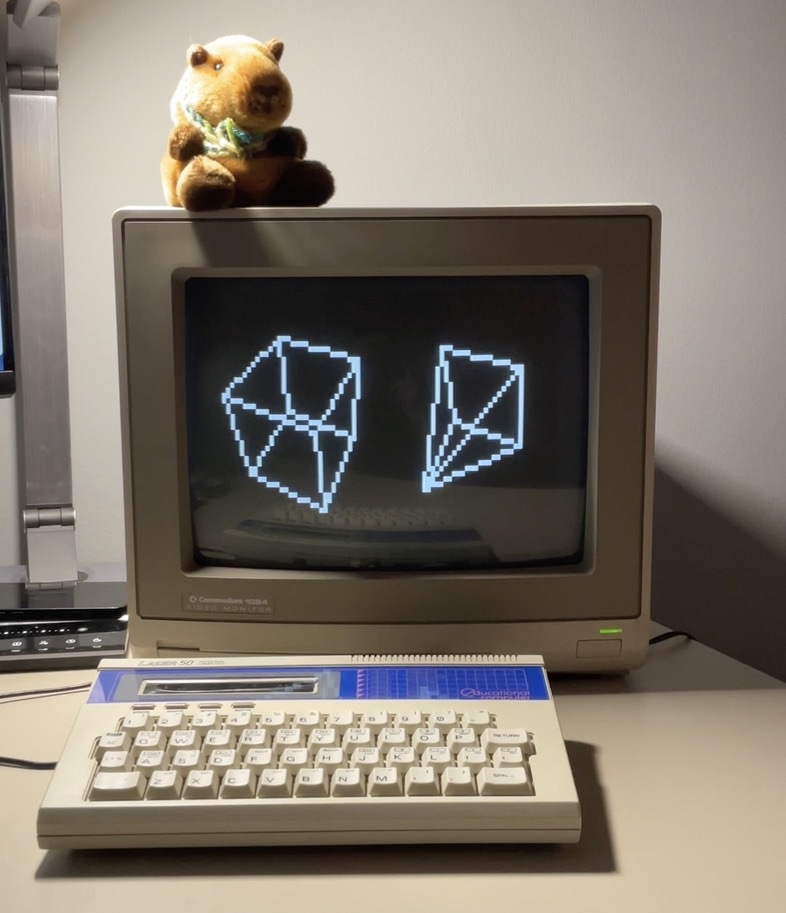
Modern personal computers exist to push limits. I built Daisy/1 to push back!
It's a homebrew personal computer made from three Arduino boards I had in a spare parts drawer, some resistors, and a lot of love. It isn't trying to be powerful, just fun! The kind of machine you could spend a night with writing a little art, a little music, a small game, and the kind that used to be everywhere and mostly isn't anymore. Think: the Timex Sinclair 1000, Commodore VIC-20, The Tandy CoCo.
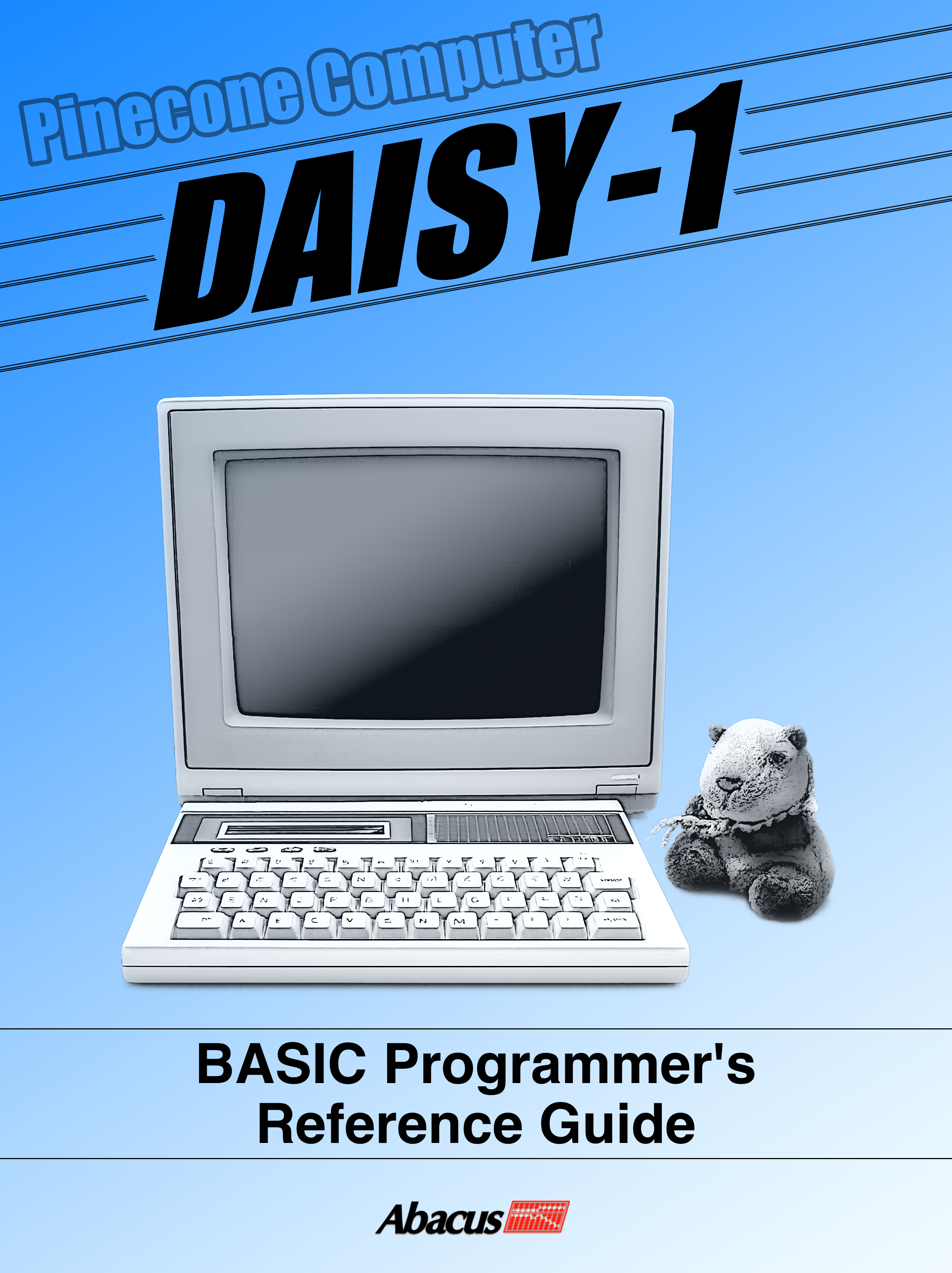
It's also an artifact from an alternative history, with a manufacturer, a model number, and a printed BASIC reference guide styled after the Abacus Software books for the Amiga (inspired by a magazine ad for the DASH-80). It's a product of the fictional Pinecone Computer, from the 1985 film Electric Dreams, and she's named after my dog, Daisy.
Hardware Overview
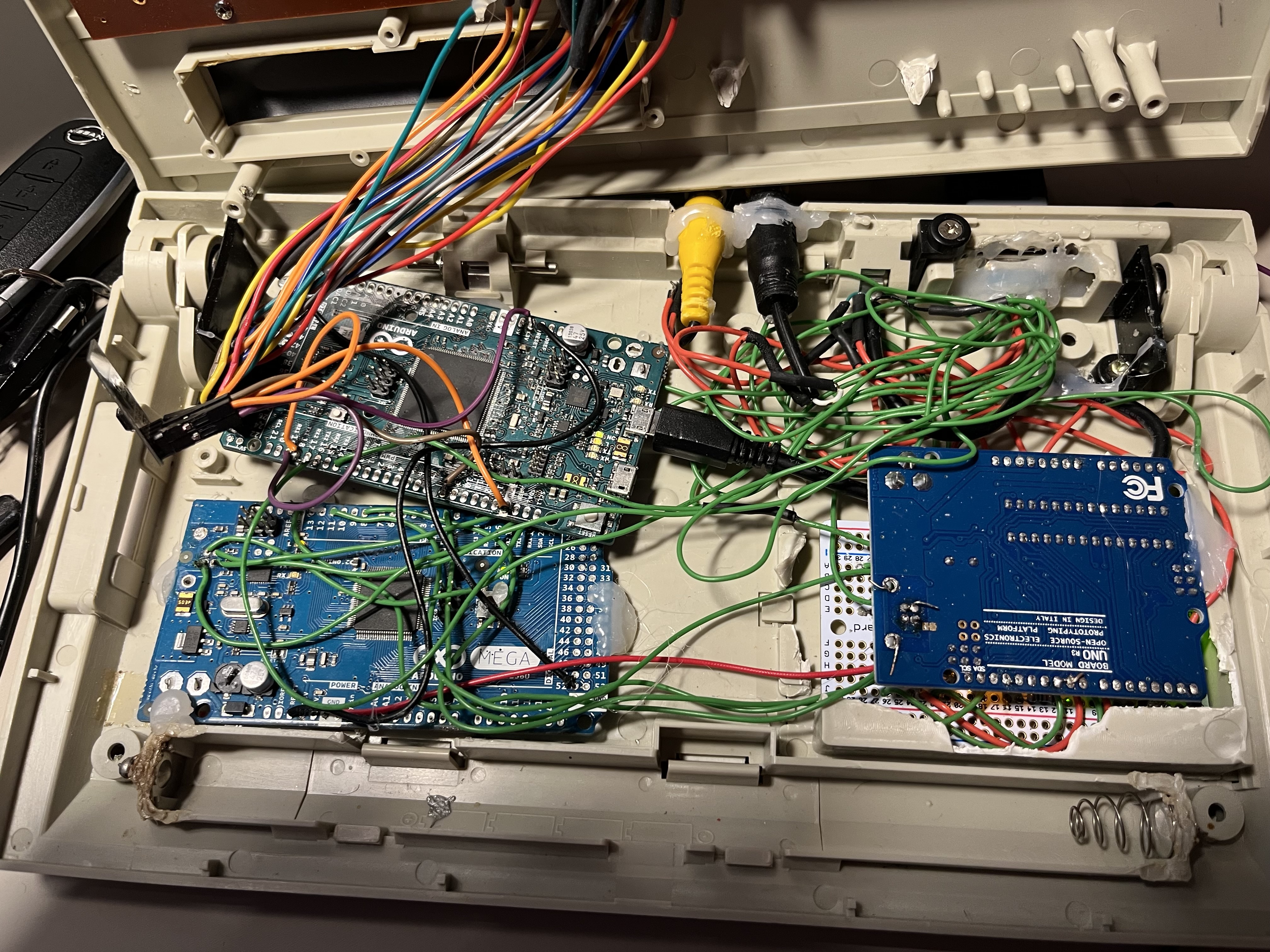
Three Arduino boards, each running dedicated firmware:
- Video processorArduino Mega
- Audio processorArduino Uno
- OS / BASIC interpreterArduino Due
The Due talks to video and audio over UART with a lightweight packetized protocol. I²C and SPI were out of the question, because NTSC interrupt timing on the video board makes both unreliable. Packets carry a checksum, but there's no retry. If one is lost, it's lost. On a single-user machine with short cable runs, that was an acceptable tradeoff.
The Due also scans the Lazer 50's keyboard matrix. That keyboard has no cursor keys or backspace, so control combinations fill the gap. Shift+Space is backspace. My hands find it fast!
Video
The Mega generates 40x25 monochrome NTSC composite video at 8x8 character resolution, bit-banged out of an abused SPI pin, built on Dave Schmenk's improvements to the TVout library. (Hi, Dave! You rock!)
Why a character display? The same reason video ICs from the past used them: A bitmap framebuffer is out of reach on the Mega, short on both RAM and interrupt budget. So there are two 256-character sets: charram with ASCII plus drawing glyphs, and gfxram, blank for tiles and bitmaps. Both live in RAM and are redefinable. Any row can be flagged to draw from either, so UI and a playfield can share a frame.
A semigraphics layer in the tradition of the ZX81 and TRS-80 subdivides each cell into a 2x2 grid, for an effective 80x50 pixels. Pixels are on, off, or dithered. On a small CRT the checkerboard blends optically into something close to grey, the same principle as halftone printing.
The pixel graphics command set is complete for the resolution:
PPLOT sets individual pixels.PLINE draws Bresenham lines and filled or unfilled rectangles.PCIRCLE draws ellipses, arcs, and filled variants with optional start and end angles.PFILL does a 4-connectivity flood fill.PPOLY draws polygons from a coordinate array, or two at once to erase and redraw in one message for flicker-free animation.The signal holds up on a black-and-white baby monitor, a Commodore 1084, and a composite-to-HDMI converter.
Audio
Listen to a sample of Daisy/1 playing music in this video.
The Uno generates three voices at 31.25 kHz via a Timer1 ISR: two pulse waves and a noise channel.
The pulse waves have variable width, an LFO-driven PWM sweep that thickens the sound well past a static square, and portamento glides updated roughly 244 times a second. The noise channel implements the SID 6581's 23-bit LFSR with the original taps, a sound Commodore users will recognize immediately.
DaisyBASIC
The heart of the machine is DaisyBASIC on the Due, drawing on Commodore/Microsoft BASIC, Applesoft, GW-BASIC, and TI BASIC, plus extensions designed around actually writing programs on this machine. The goal was to mix many of the features I found helpful or just plain charming from other BASICs I have used.
Some of the new commands I threw in:
READMAT bulk-loads an entire array from DATA statements. Anyone who has written a FOR loop to fill a lookup table knows why.SWAPARR swaps two arrays element-by-element, or rotates three, so you can swap draw and display buffers without copying. CLEARARR zeroes an array, or a tail slice of one.RETURN can pass values back, so subroutines return results without global side effects. TRAP and RESUME handle errors.TIMER fires a GOSUB at an interval, for game loops and animation without a blocking poll.CHUNK splits a string into an array on a delimiter. RENUMBER renumbers lines and fixes every GOTO and GOSUB.Sound and music can be created two ways: PLAY takes MML strings in the tradition of Commodore 128 BASIC 7 and GW-BASIC, for composition, while SOUNDPGM hands frequency/duration pairs straight to the audio processor to play on cue, freeing the controller for other tasks.
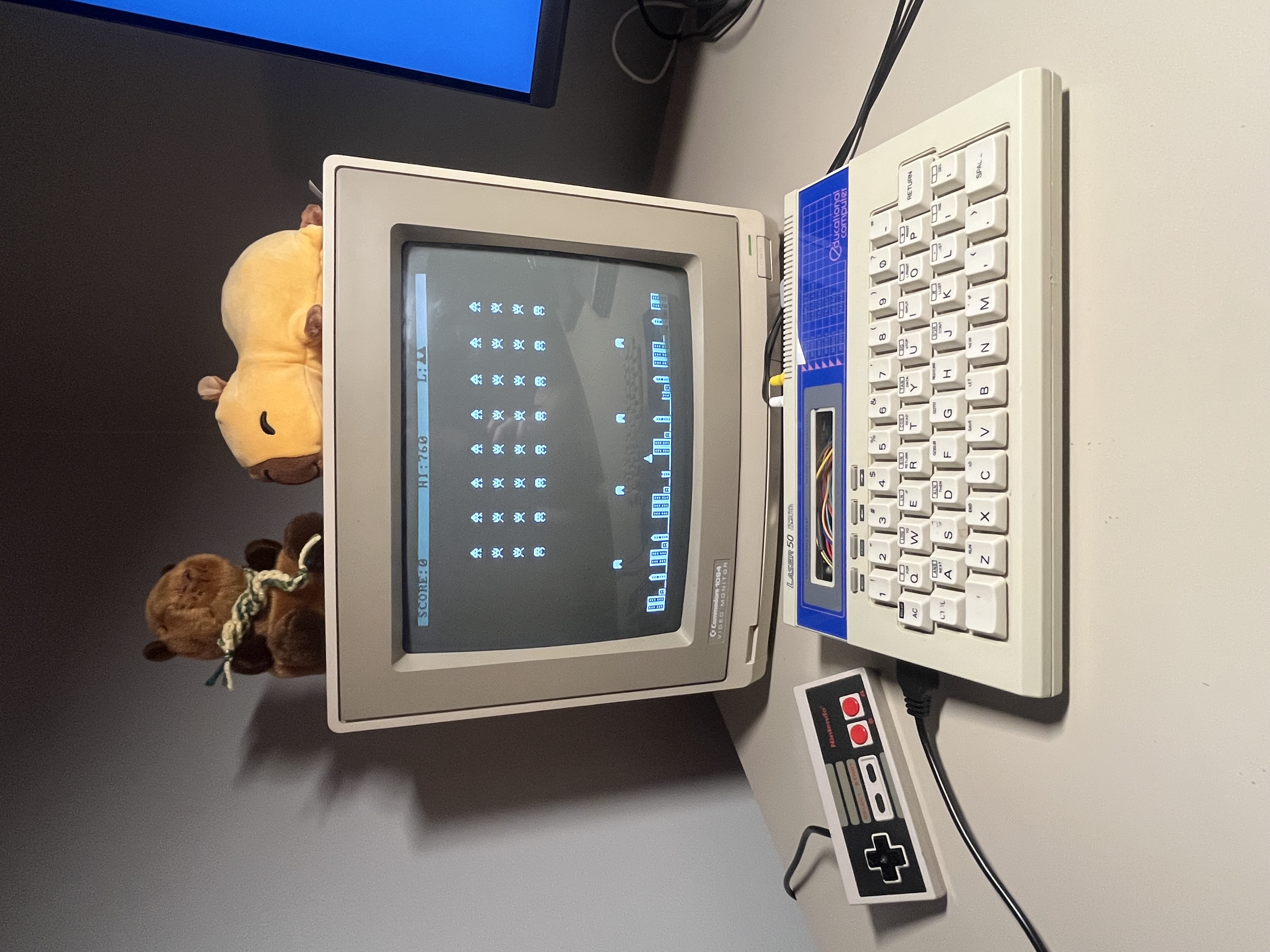
There is also a built-in Space Invaders clone, because I needed something to test the Commodore/Atari compatible joystick port. And also, why not?!
Networking
WiFi comes from an ESP8266 running Bo Zimmer's ZiModem, a Hayes-compatible modem over WiFi. Daisy/1 can hit a BBS! The built-in VT52 emulator is complete: cursor movement, clear screen, graphics mode, ANSI arrow keys, and a status bar with date and time.
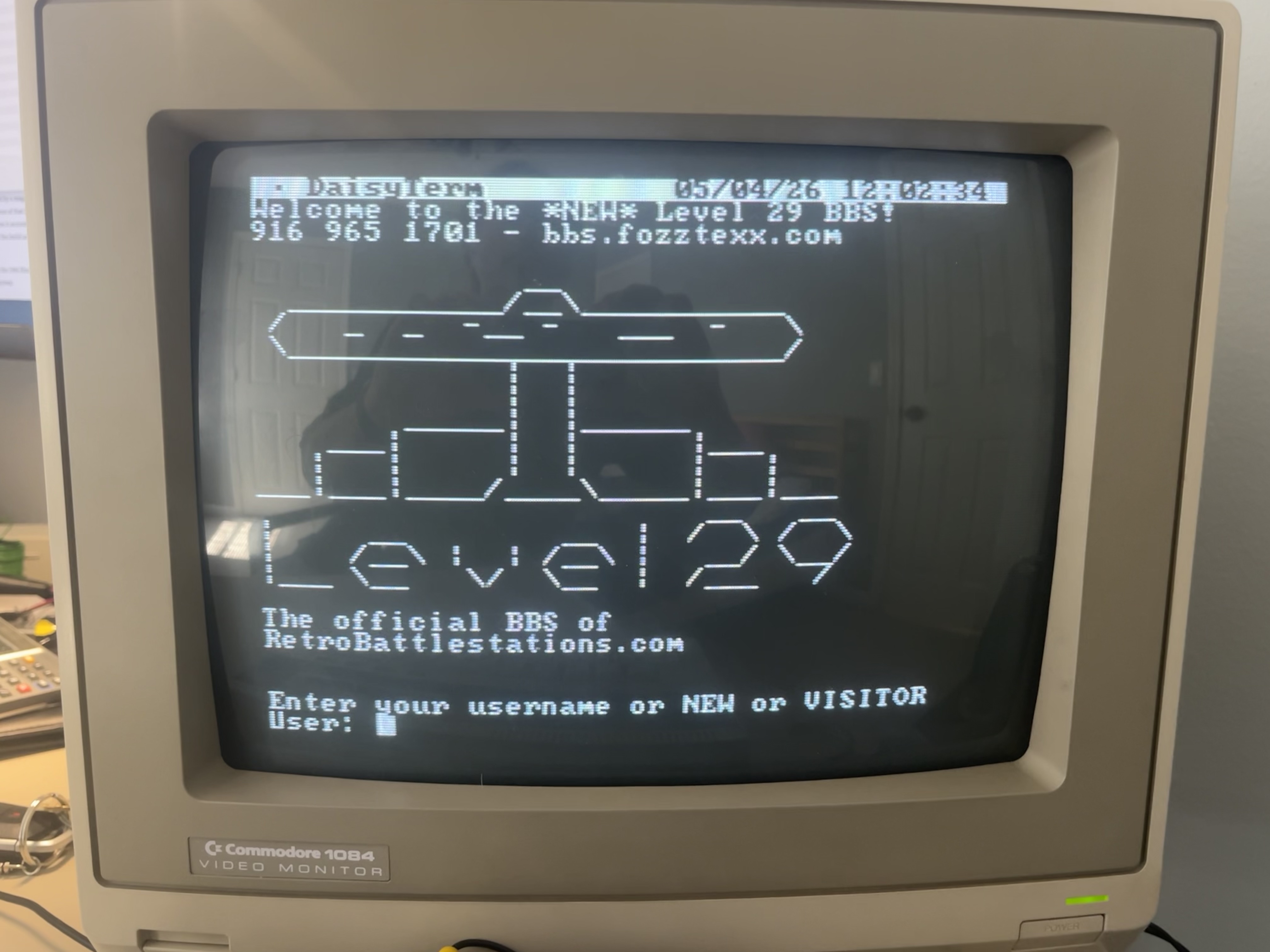
BASIC programs get the connection, too! NETPRINT, NETGET, and NETINPUT send and receive over TCP, byte by byte or line by line, blocking or non-blocking. That's enough to remote-control another machine, trade game state between two Daisy/1s, or use a bigger machine as a back-end while Daisy/1 handles the UI.
Storage
A small Python server (daisyfile.py) runs on any networked computer. A laptop, a Raspberry Pi, whatever you have. Programs, character sets, and sequential files save, load, delete, rename, and organize into directories, and FOPEN, FCLOSE, FPRINT, FINPUT, FGET, FPUT, and FSEEK give BASIC direct access to host files as sequential streams.
Using It
The line editor behaves exactly like a Commodore 8-bit: cursor up to a line, edit, hit Return, done. No EDIT command, no cryptic cursor sequences like the Apple II. Just the direct editing everyone should have had.
Key clicks can be turned on, Atari 400/800 style. A MORE command borrowed from AmigaDOS pages through text files from the server, which rounds the machine out as something you can use, not just program.
It's about fun and heart
Daisy/1 is a toy in the best sense of the word. It lives in a Lazer 50 case, uses its original keyboard, boots to BASIC, and has a name from a movie and a dog. It's for the kind of focused, solitary, creative computing that used to be ordinary and is now rare. Plug it in, fire up BASIC, and make something small and weird and yours.
The source, all three firmware images and the Python file server, can be found on GitHub
By the way: there's a reason I called it Daisy/1...